
Counter Offers: How They Work
Sellers:
You may send one counter offer per buyer offer. Once you submit a counter offer, it will appear as Accepted on your My Offers page. The buyer then has 48 hours to complete checkout if they agree to your countered amount.
To send a counter offer, go to your My Offers page.
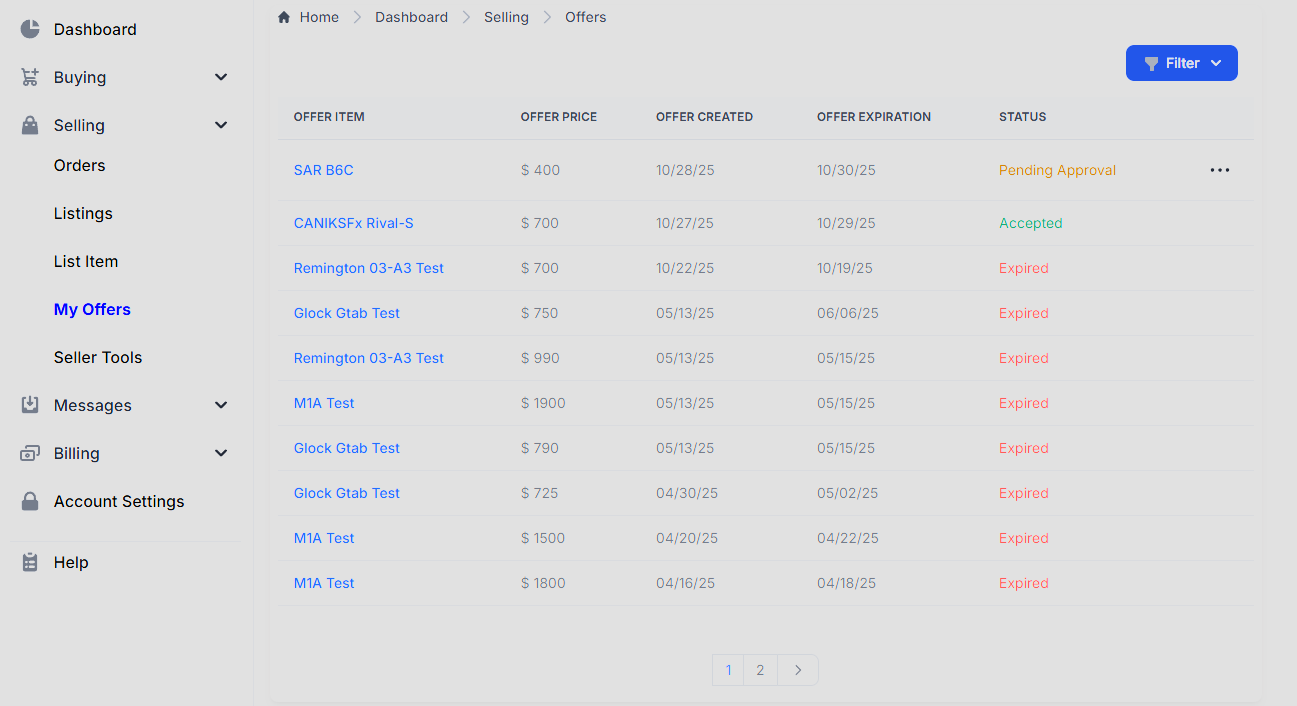
Click on the ellipsis to the right of the Pending offer and then on Counter Offer.

From there you will be able to enter your counter offer price and other information pertaining to the item, this additional space is not intended to used as a way to set conditions.
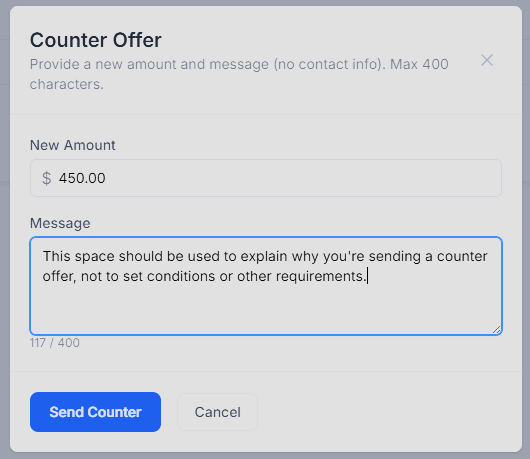
After you click Send Counter the buyer will receive an email with your counter.
Buyers:
If a seller counters your original offer, it will also appear as Accepted on your My Offers page. Buyers cannot counter a seller’s counter offer. If you agree to the countered amount, you must complete the checkout process within 48 hours.
To start the checkout process, click on Checkout next to your offer.

The item will then be added to your cart at the agreed upon price. Remember that is only the cost of the gun, Shipping, Tax, and other fees may apply.
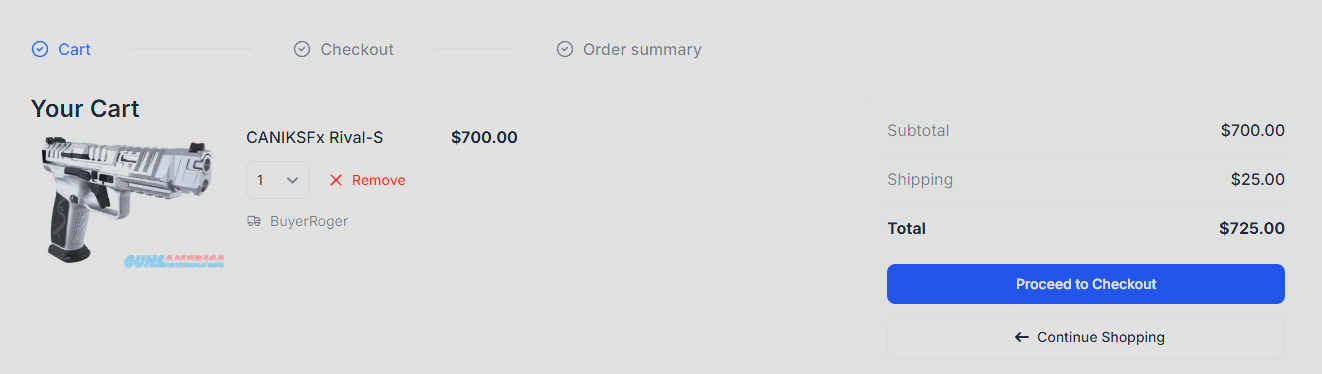
From there you can complete the checkout process like normal.
Multi-seller / merged product offers
If the buyer’s offer was broadcast to multiple active sellers, your counter still follows the usual My Offers, Counter Offer path (one counter per buyer offer). On multi-seller items, countering may affect whether other sellers can still act on that buyer’s offer. Check offer status on your My Offers page.
For broadcast accept rules and buyer checkout after accept, see Make an Offer on Multi-Seller (Merged) Products.
Important Notices
If either party fails to take action within 48 hours of the previous action, the offer will automatically be cancelled and marked Expired. Expired offers cannot be reinstated.
Items with Accepted offers remain available for purchase until checkout is completed. Act quickly: another buyer may purchase the item at the seller’s full asking price.